

Scripting
Comments
In any section of your script, you can leave comments to have a discussion about the script or to leave reminders or to-do items.
Posting Comments
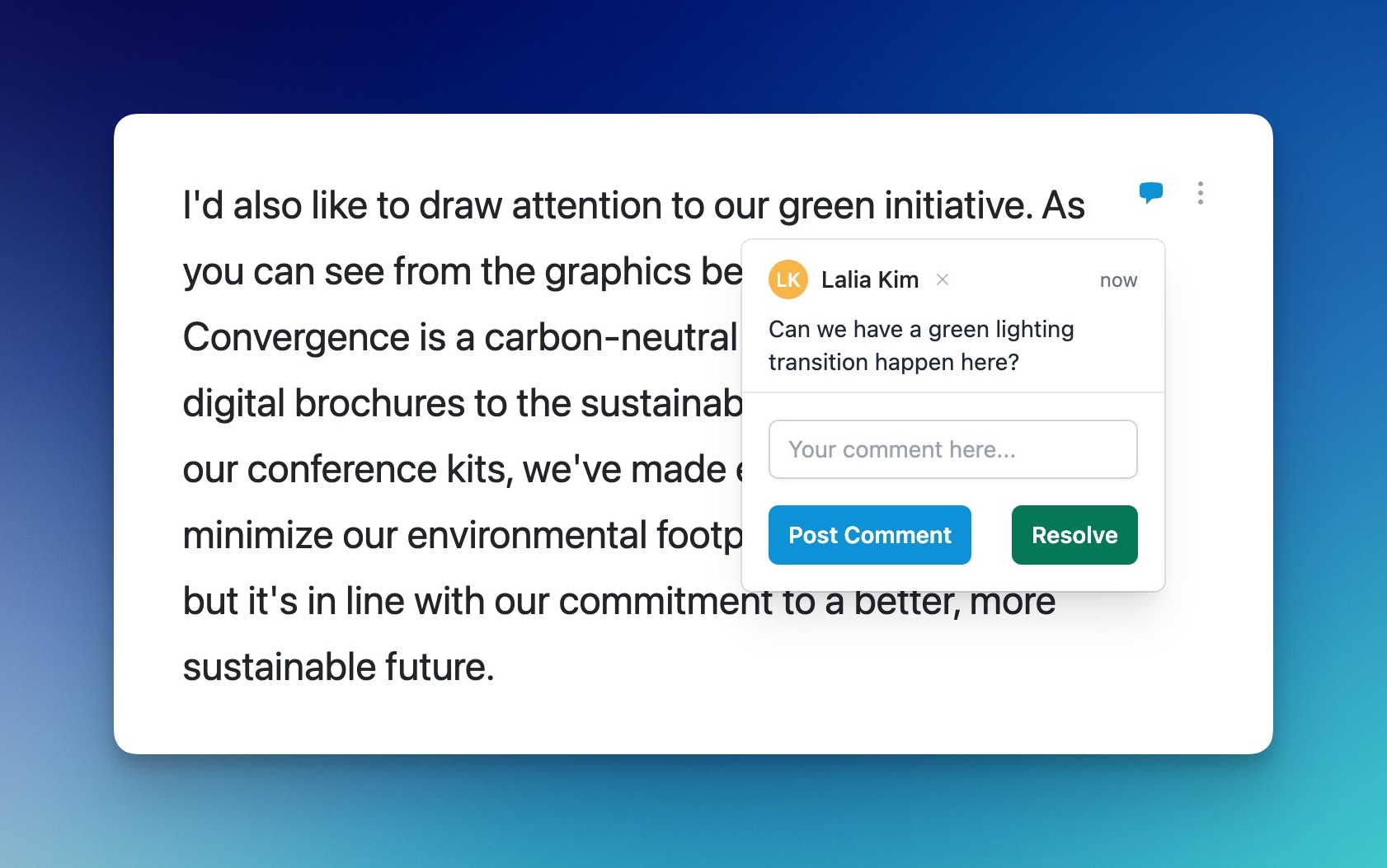
To post a comment, navigate to the block you want to review. Then hover over the section number that you want to leave a comment on, and choose Add Comment. Then, leave your comment and click Post Comment. The comment icon will appear when there is either a resolved or unresolved comment.
Deleting Comments
To delete your comment, click the x beside your name in that comment. Only the user who posted the comment has the ability to delete the comment.
Resolving Comments
You can resolve a comment thread by clicking Resolve. This will mark it green in the interface. If anyone replies to the comment, it will open again and the icon will change back to blue.
Slack Integration
If your account has enabled Slack support, and assigned a Slack channel to this production, then a new Slack message will be posted when a comment is created, resolved or deleted so that your team is alerted.