

Scripting
Highlighted Sections
When writing your script, sometimes you are still waiting for final information, or otherwise might need a reminder to revisit a section before showtime.
In these situations, we recommend changing the background color of that text as a way to bring attention to it, and also mark it as a to-do item.
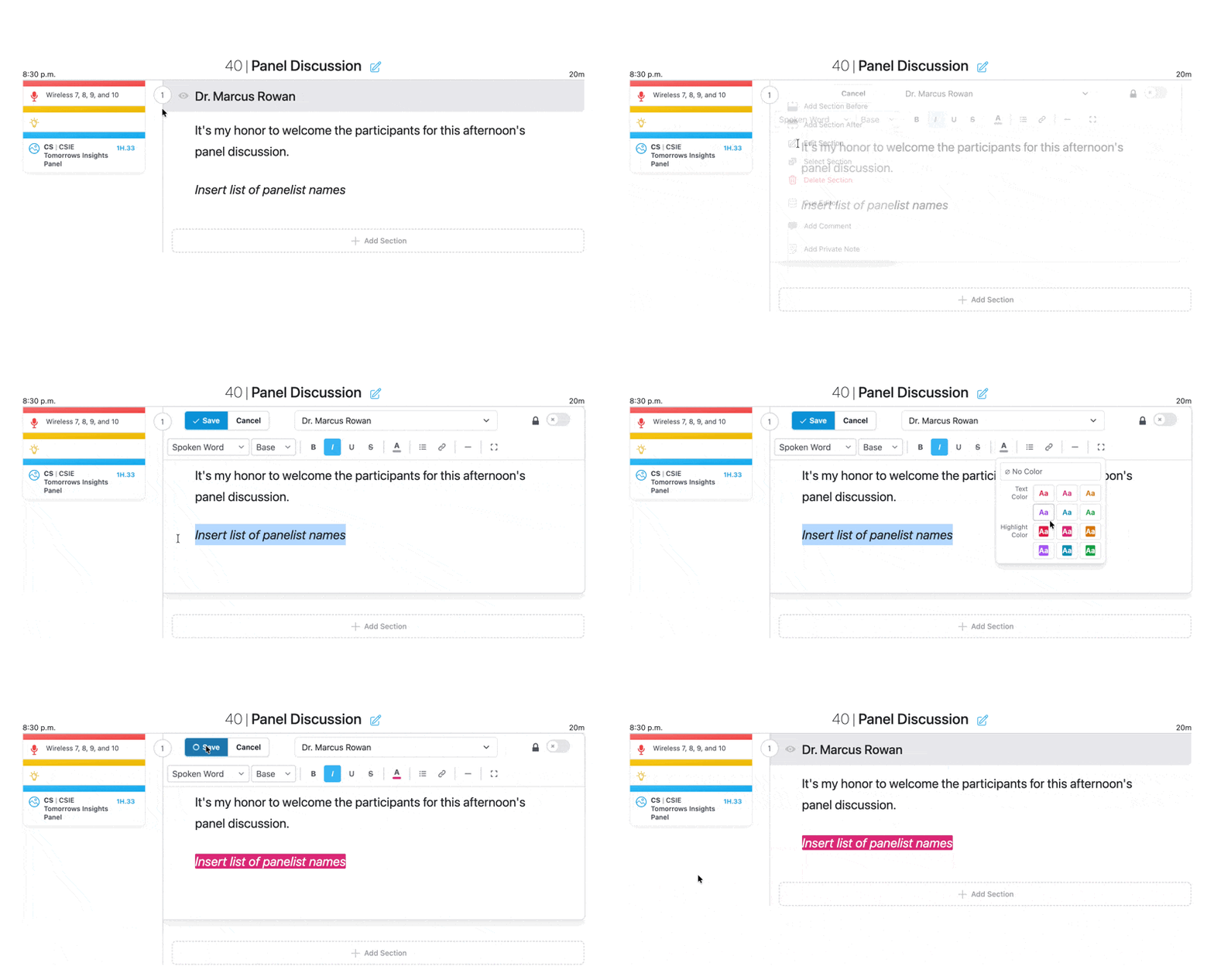
You're welcome to choose any color you like, but we also encourage you to color code as desired. For example, you might choose yellow for to-do items for your own team, but blue for content you're waiting for from a third party.
You can quickly see every highlighted section by choosing Highlights from the session dashboard menu at the top of your session’s main page. You can view all highlights or select by color to narrow down by your chosen color code. You can also navigate to other sessions using the dropdown in the upper right corner.
Click on the block name to navigate to the editable blocks.
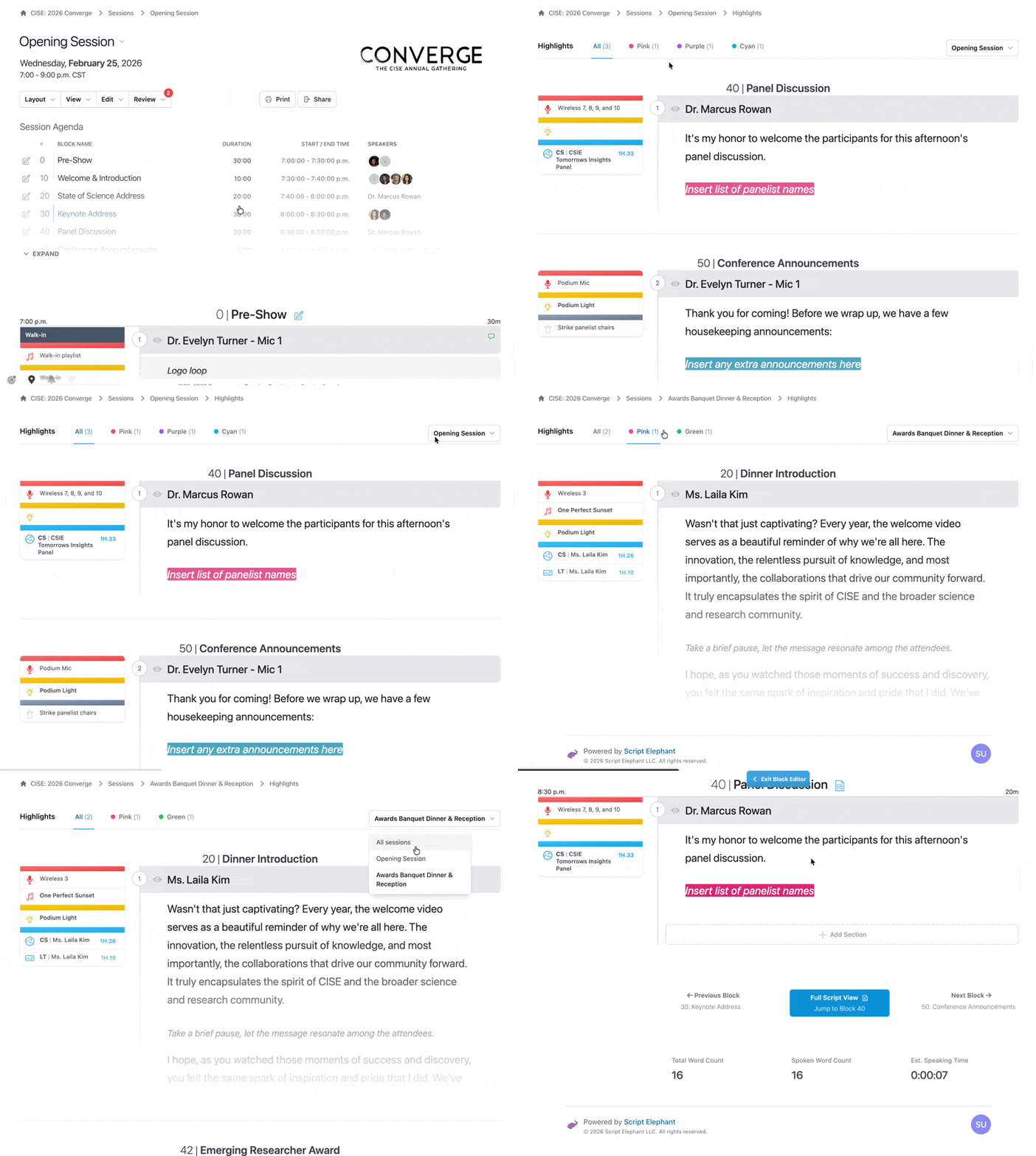
This is a great way to always have and share the most up-to-date to-do list for yourself and/or for your team.